

Blog - no.21: RAW vs. JPEG - Which Should You Choose?
A Quick Note Before We Dive In
If you are already comfortable working in software like Adobe Lightroom or Capture One, this article may feel quite basic. It is written specifically for beginner and intermediate photographers who are starting to explore their camera settings and are new to editing.
RAW vs. JPEG: Let’s Settle the Debate
When you first pick up a digital camera, one of the most confusing settings you will encounter is file format. You may have heard that “real photographers shoot RAW,” while others value the simplicity of JPEG. So what does this actually mean for your images?
What’s the Difference?
Think of a JPEG like a meal served at a restaurant. It is already cooked, seasoned, and presented. It looks good straight away and is ready to share.
A RAW file is more like a box of high quality ingredients. It contains all the original data captured by your camera’s sensor. On its own it may look flat, but it gives you full control to create the final image exactly as you want.
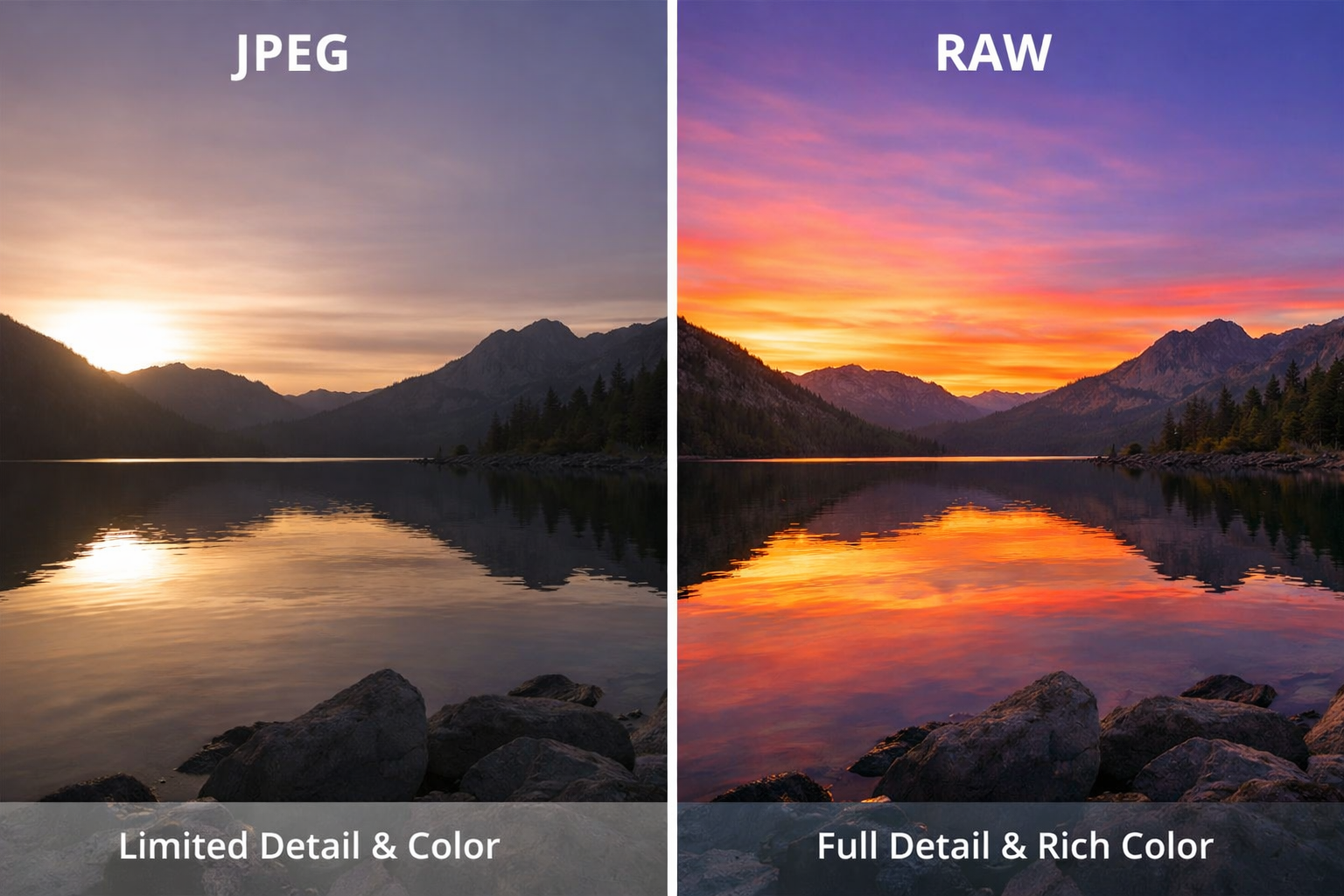
The illustration above is heavily accentuated and has been created simply to show the difference in the amount of detail retained in RAW files over JPEG files. If you were professionally editing a RAW file for publication then more subtle changes are required like reducing the shadows in the darker areas of this photo without oversaturating the colours, as the picture on the right might appeal to many, but is just simply not realistic in colour to what your eyes would have seen if you were actually there taking this picture.
Why Choose RAW?
The main reason to shoot in RAW is flexibility. Because a RAW file stores far more information than a JPEG, it offers greater dynamic range and colour depth.
Dynamic range is a camera’s ability to record detail in both very dark and very bright areas at the same time. With JPEG, once shadows become pure black or highlights turn pure white, that detail is lost. RAW files keep much more of this hidden information, allowing you to recover shadow and highlight detail during editing.
Colour depth refers to how many shades of colour are recorded. JPEG files store fewer tones to keep file sizes small, which can lead to rough transitions and limited correction options. RAW files capture many more colour variations, giving smoother results and far more control when adjusting colour and white balance.
Why Stick with JPEG?
JPEG is all about speed and convenience. The camera processes the image for you, applying contrast, sharpening, and colour. The files are smaller and ready to share immediately.
The compromise is compression. To reduce file size, the camera discards a large amount of data. This limits how much you can correct exposure or colour later if the image is not quite right.
What Do You Need to Edit RAW Files?
RAW files require dedicated software because they contain unprocessed sensor data. Most camera manufacturers provide free software for their own file types, which is a good starting point for beginners. There are also free third party options such as Darktable, RawTherapee, and GIMP with a RAW plugin.
Because RAW files are larger, they require more storage space and more processing power. For this reason, many beginners prefer shooting in RAW + JPEG, using the JPEG immediately and keeping the RAW file for future editing.
The Storage Consideration
RAW files take up significantly more space on memory cards and hard drives. They also add an extra step to your workflow, as they must be processed before they can be shared or printed.
The Verdict: Which Should You Use?
Use JPEG if you are shooting casually, need fast delivery, or do not plan to edit.
Use RAW if image quality matters, lighting is challenging, or you want maximum control in post production.
Most modern cameras allow you to shoot RAW + JPEG at the same time. This gives you a ready to use JPEG and a high quality RAW file for later refinement. Many professional news and sports photographers work this way so they can deliver images quickly while retaining full quality files for editing, archiving, and backup.
