

Blog - no.15: Lightroom Presets - Are They Worth It?

Let’s be honest, if you’ve been hanging around the photography world for more than five minutes, you’ve definitely come across Lightroom presets or similar presets used in other editing software. They’re everywhere. On Instagram ads, Pinterest boards, YouTube tutorials… pretty much any corner of the internet where photographers hang out.
Some people swear by them. Whilst others call them “cheat codes” or say real photographers don’t use them (which is not true, by the way).
So what’s the deal? Are presets worth it? Should you use them? Let’s break it down in the simplest way possible.
First Things First: Get It Right in Camera
Before we talk presets, this is the real heart of the issue.
Yes, Lightroom presets can make your photos look great.
Yes, they can save you time.
But… and this is a big but…
Presets cannot fix a badly taken photo.
If your shot is underexposed beyond rescue, the white balance is way off, or the focus missed completely, no preset in the world can save it. Think of presets like seasoning on food: salt makes a good meal better, but it won’t fix burnt chicken.
So, the most important thing you can do, is nail the following basics in camera:
Proper exposure
Clean composition
Good lighting
Correct focus
The right shooting settings for your subject
When you get this right, then presets can really shine.
So… What Exactly Is a Preset?
A Lightroom preset is basically a pre-made group of edits. When you click it, Lightroom automatically applies a collection of adjustments to your picture. Things like exposure, contrast, color shifts, shadows, highlights, grain, and more.
Think of it like a recipe that instantly gives your photo a certain “look.”
It’s not magic… but it can feel like it.
Lets look at an example….
The following is a simple picture taken late one afternoon (FL: 428mm - F/7.1 - ISO 100 - 1/200th sec). Nothing special, and with no edits:
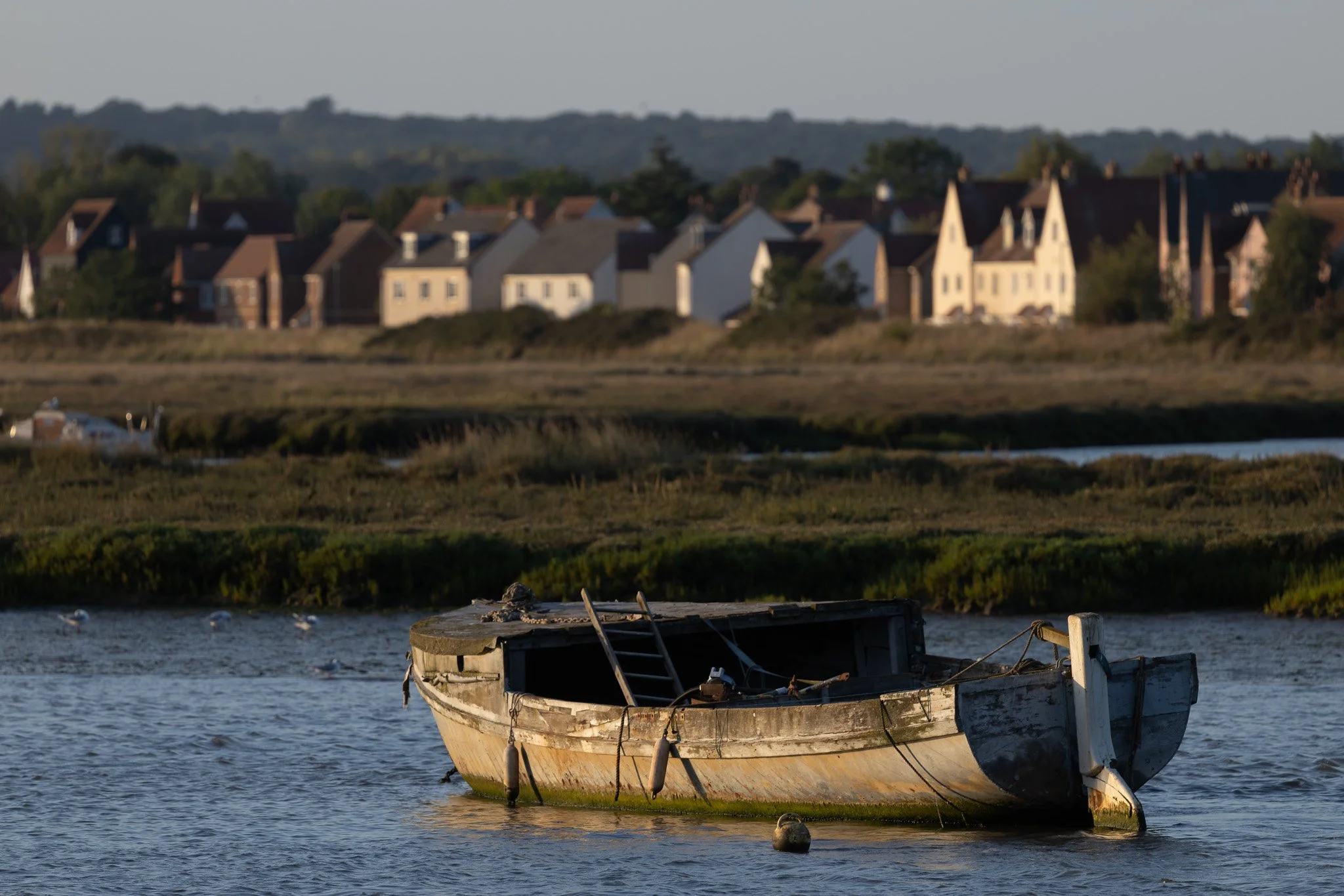
Image with no Edits
Lets now add some minor tweaks in Lightroom to the picture…
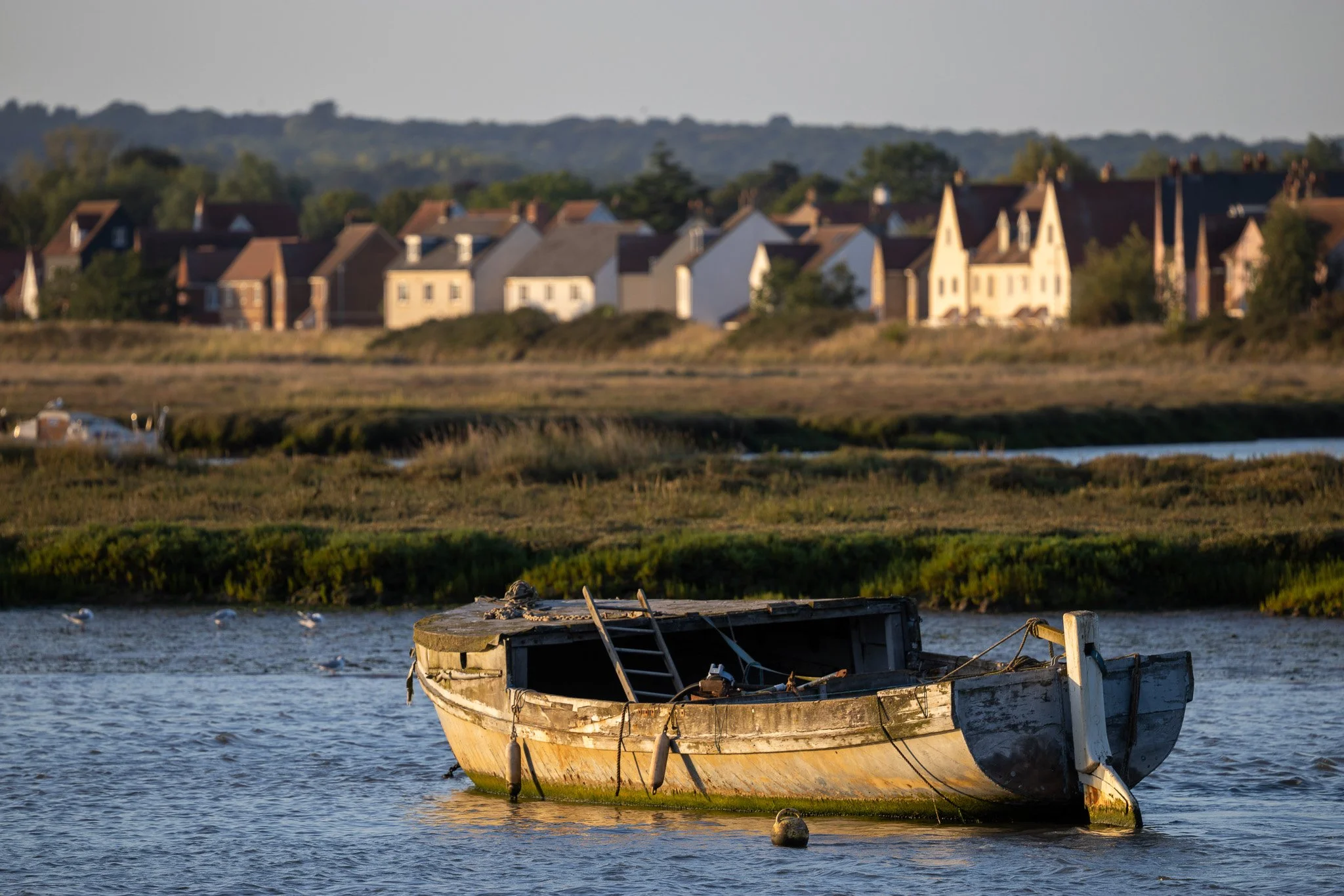
Many won’t see the tweaks made as they are subtle, but basically I have tweaked the image to make the late afternoon sun, a little warmer, which you can see on the side of the boat and the houses in the background.
Now lets scrub those changes and simply apply a Preset (taken from a collection that claim to enhance the golden hour…
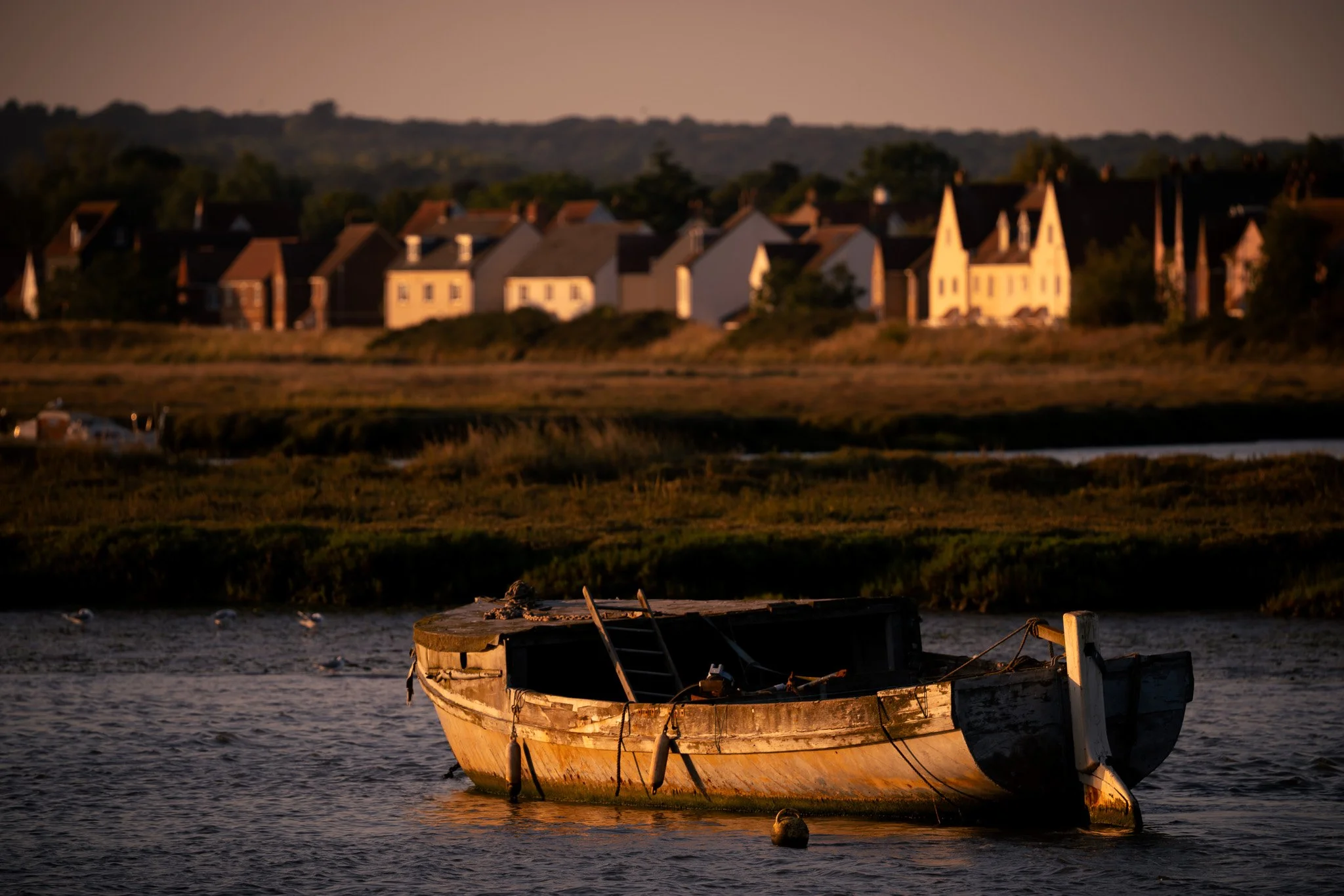
Straight away you can see that this preset has darkened the image, added some vignette (darkened corners) as well as raising the temperature of this picture. Obviously this is just an example and there are many presets out there that may have suited this scene much better, but you get the idea.
Now lets tweak the settings of this preset to something that I would feel much more comfortable with…
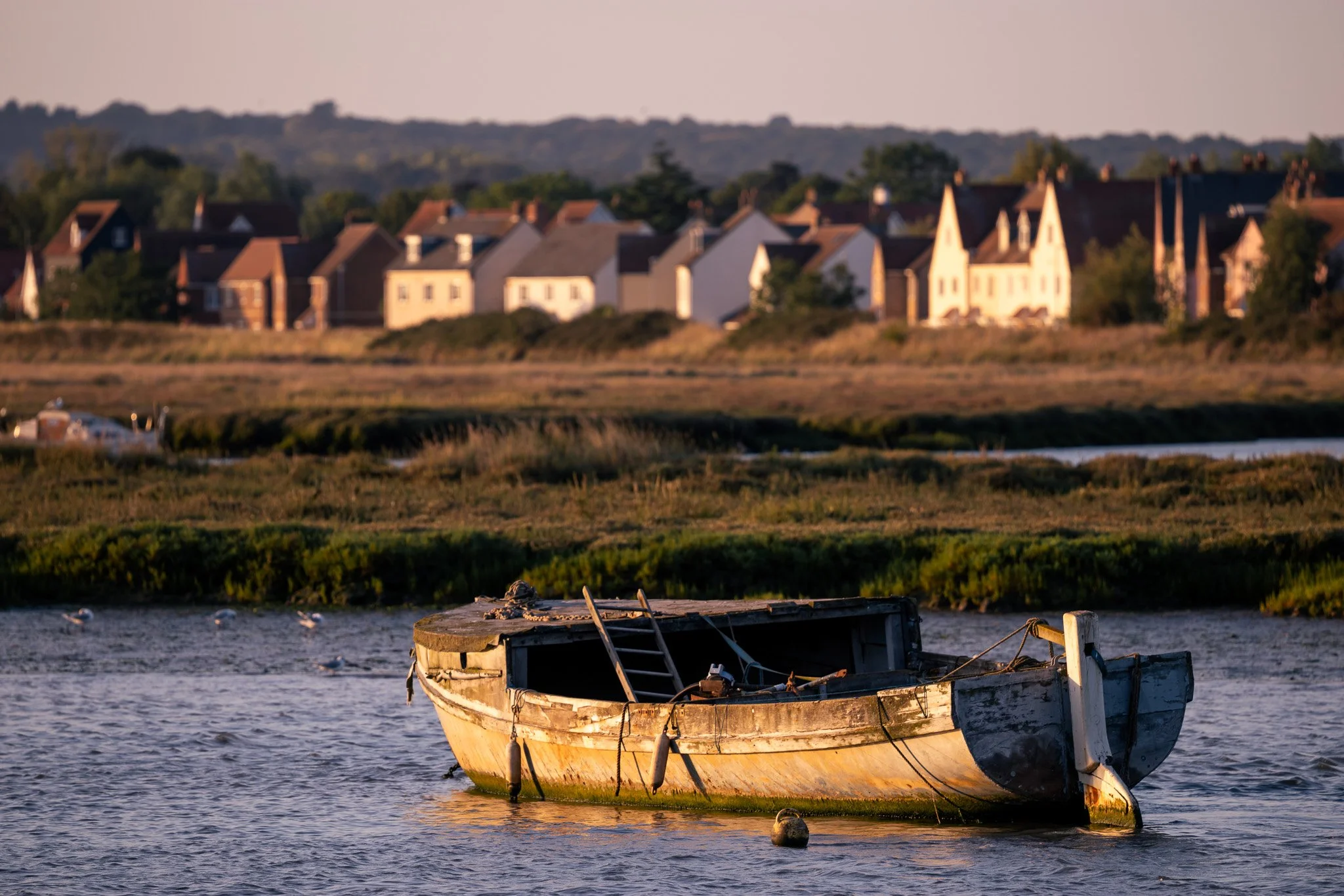
I have removed the vignette and reduced the temperature, but you will notice that the sky is still too warm and not natural.
This is a just an example of one preset, but there are literally hundreds of thousands of them out there to purchase and play around with, and personally, I still prefer the second picture where I made just slight tweaks to the image.
The Pros of Using Presets
1. They Save You Time
Editing every photo from scratch is exhausting. Presets help create a consistent look in seconds. Great for:
Weddings
Branding shoots
Travel photo collections
Social media batches
If you’re editing hundreds of photos, presets can be a lifesaver.
2. They Help You Discover Your Style
Not sure what kind of “look” you like? Try out a few presets and see what resonates with you.
Warm and moody?
Clean and bright?
Film-inspired?
Punchy and colorful?
Presets can give you a starting point to develop your own editing style.
3. They’re Great Learning Tools
Applying a preset is like peeking inside another photographer’s editing brain. You can slide through the adjustments and see exactly what they changed.
It’s honestly one of the fastest ways beginners learn.
The Cons of Using Presets
1. They Don’t Look Good on Every Photo
A preset might look amazing on someone else’s beach photo… but not on your cloudy shot of your local park whilst out for a walk.
Why? Because lighting, exposure, and colors are never the same in every image.
Most presets need tweaking after you apply them.
2. They Can Become a Crutch
Some photographers rely so heavily on presets that they never learn:
Manual editing
Color theory
Tone control
Exposure management
Presets should enhance your skills, not replace them.
3. Many Presets Are Overpriced
Let’s be real, some creators charge wild amounts for presets that are basically minor changes to contrast and saturation. You can find great, affordable ones… but there are plenty of overpriced options too.
So whilst they sound great as a way of cutting corners and saving time, the opposite is true, and your time would be better spent learning lightroom properly and then creating some presets of your own.
So, Are Lightroom Presets Worth It?
Yes… if you use them the right way.
Presets are worth it when:
You understand the basics of shooting
You’re willing to tweak and adjust them after applying them
You use them as tools, not shortcuts
You want a consistent style across your work
They’re not worth it when:
You expect them to fix poor-quality photos
You want a one-click miracle
You rely on them instead of learning how to edit
At the end of the day, presets are just part of the toolbox. They can help you create beautiful images faster, but they’ll never replace skill, creativity, or good technique.
Get your shot right in camera first, then let presets take it to the next level (but only if required).
Do I use presets as a photographer?
Yes, but far less than I used to. Early on I relied on presets because YouTube and other creators made them look like a shortcut to great photos. I soon realised most presets were too over-the-top, with colours that looked fake. A judge’s remark in a competition reminded me of da Vinci’s line: “Simplicity is the ultimate sophistication.”
I’ve definitely posted over-edited images in the past, we all start somewhere, but now I prefer natural results. My advice for beginners would be to save your money for camera gear first, learn Lightroom properly (especially the exposure, shadows and highlights sliders), then consider presets to learn how others approach colour, effects and detail. Also, remember that presets made by a wedding photographer on YouTube won’t be any good to you if you’re a landscape photographer!
Today I mainly use presets for some black-and-white work as a starting point, but I always tweak them, so the final image is mine.
